
Revenue Share Campaign (CPS)
Learn how to create and configure CPS (Cost Per Sale) campaigns with revenue share tracking.
Overview
Revenue share campaigns allow advertisers to share a percentage of revenue per sale. This model is commonly known as CPS (Cost Per Sale).
Revenue can be calculated as a percentage of total sale value or as a fixed payout.
Create CPS Campaign
Go to Campaigns
Navigate to Campaigns and click Create Campaign.
Fill Basic Details
Enter campaign details in the General tab.
- Revenue: CPS percentage
- Payout: Affiliate percentage
Submit Campaign
Click Submit to save configuration.


Important
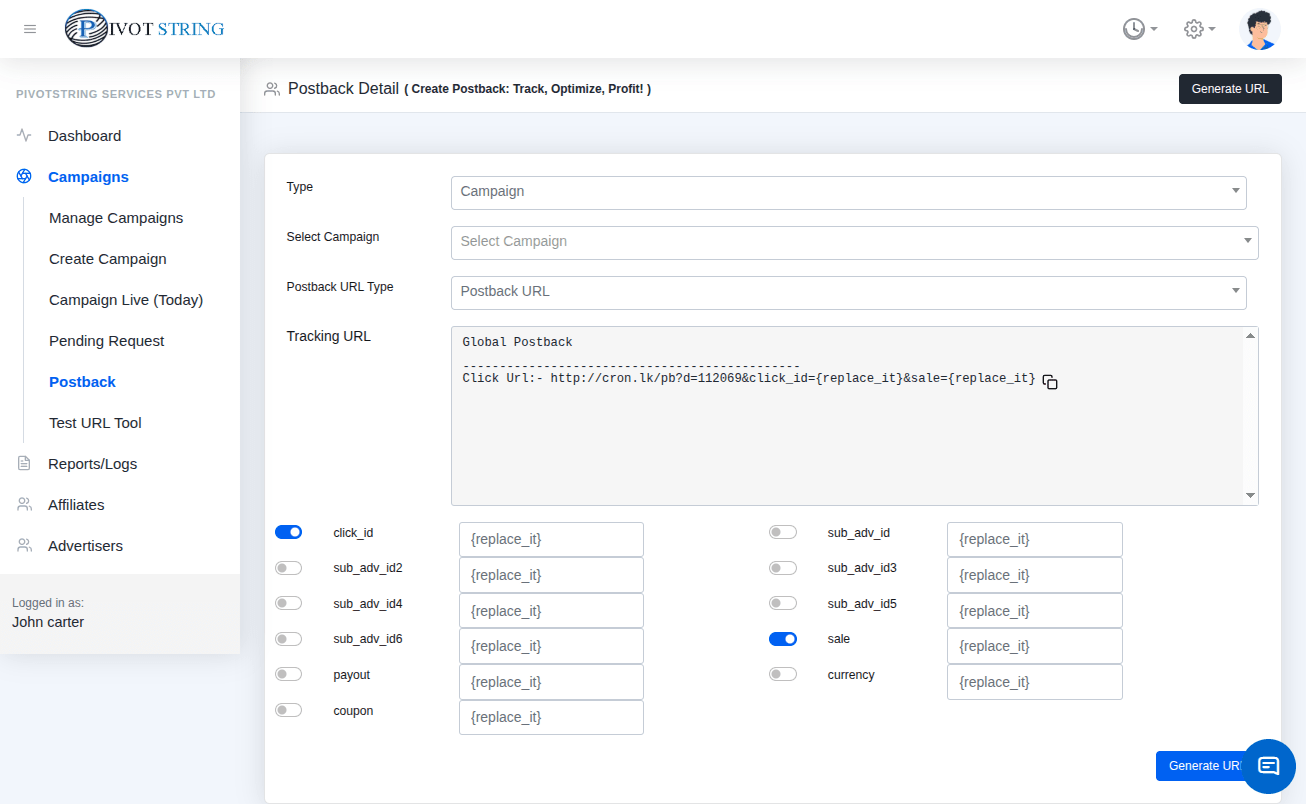
CPS % is calculated based on total sale amount received via postback (&sale parameter).
Get Postback URL
Navigate to Shortcuts → Postback to get campaign postback URL.
Warning
Missing &sale parameter will result in incorrect revenue calculation.
CPS Calculation Example
Example: Sale amount = 500 USD
- Revenue: 65% → 325 USD
- Payout: 35% → 175 USD