Zoho - SMTP Integration
General SMTP Configuration Overview
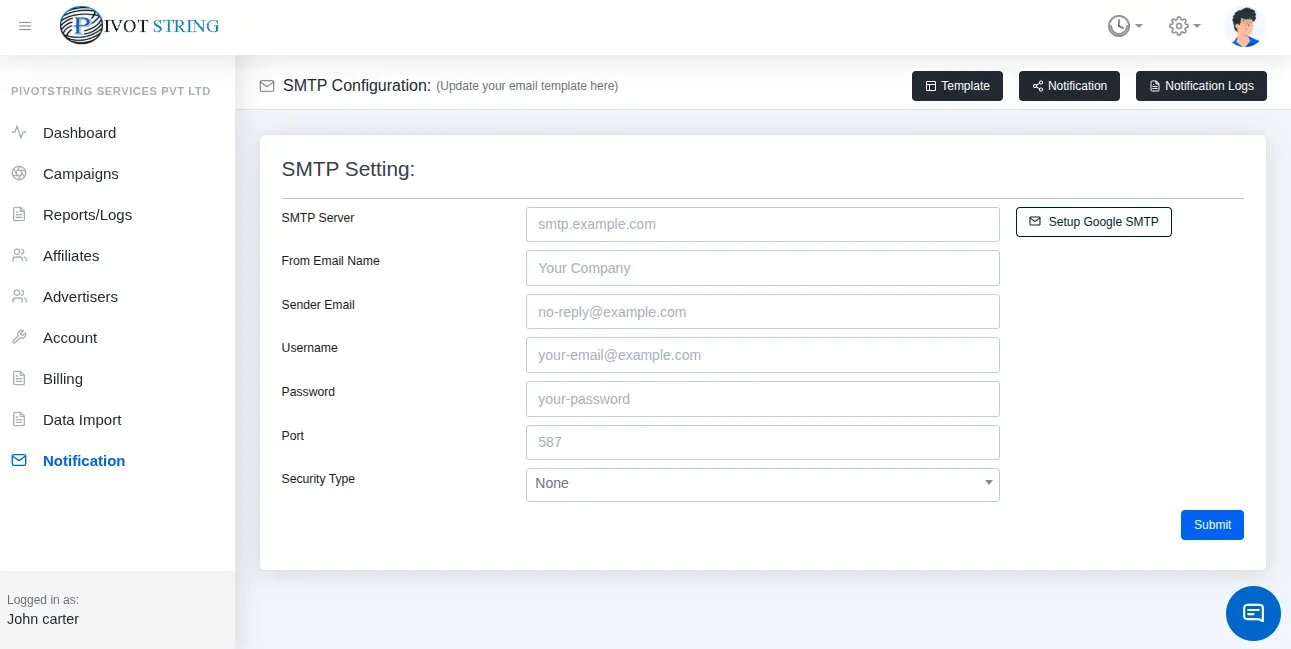
This guide provides a step-by-step process to configure SMTP settings for sending emails using Gmail, Zoho Mail, and Microsoft Outlook.
To integrate SMTP into your application, you need:
- SMTP Server: The server address provided by the email service.
- From Email Name: The display name for the sender (e.g., "Your Company").
- Sender Email: The email address used to send emails.
- Username: Typically the sender email or a specific username.
- Password: The account password or an app-specific password.
- Port: The port number for the SMTP connection (e.g., 587 or 465).
- Security Type: The encryption protocol (e.g., TLS or SSL).
Zoho Mail SMTP Configuration
Zoho Mail is ideal for professional use with robust SMTP support.
SMTP Settings for Zoho Mail
| SMTP Server | smtp.zoho.com |
|---|---|
| From Email Name | Your chosen display name (e.g., "Your Business") |
| Sender Email | Your Zoho email address |
| Username | Your Zoho email address |
| Password | Your account password or App Password (with 2FA) |
| Port | 587 (TLS) or 465 (SSL) |
| Security Type | STARTTLS (preferred) or SSL/TLS |
Setup Steps for Zoho Mail
- Log in to Zoho Mail: Access your account at mail.zoho.com.
- Enable Two-Factor Authentication (Optional): In Settings > Security, enable 2FA and generate an App Password if needed.
- Configure Your Application: Use the SMTP settings and App Password if 2FA is enabled.
- Test the Connection: Send a test email to confirm.
Note: For custom domains, ensure the domain is configured in Zoho Mail’s admin panel.