
Campaign Creatives
Upload, manage, and distribute creatives to improve campaign performance and conversions.
Overview
Pivotstring simplifies how you manage campaign creatives, providing a centralized system for uploading and distributing assets to publishers.
Publishers can instantly access creatives, helping improve engagement, campaign reach, and conversion rates.
Why Use Campaign Creatives?
- Centralized creative hosting
- Unlimited creative uploads
- Improved campaign performance
- Easy access for affiliates and publishers
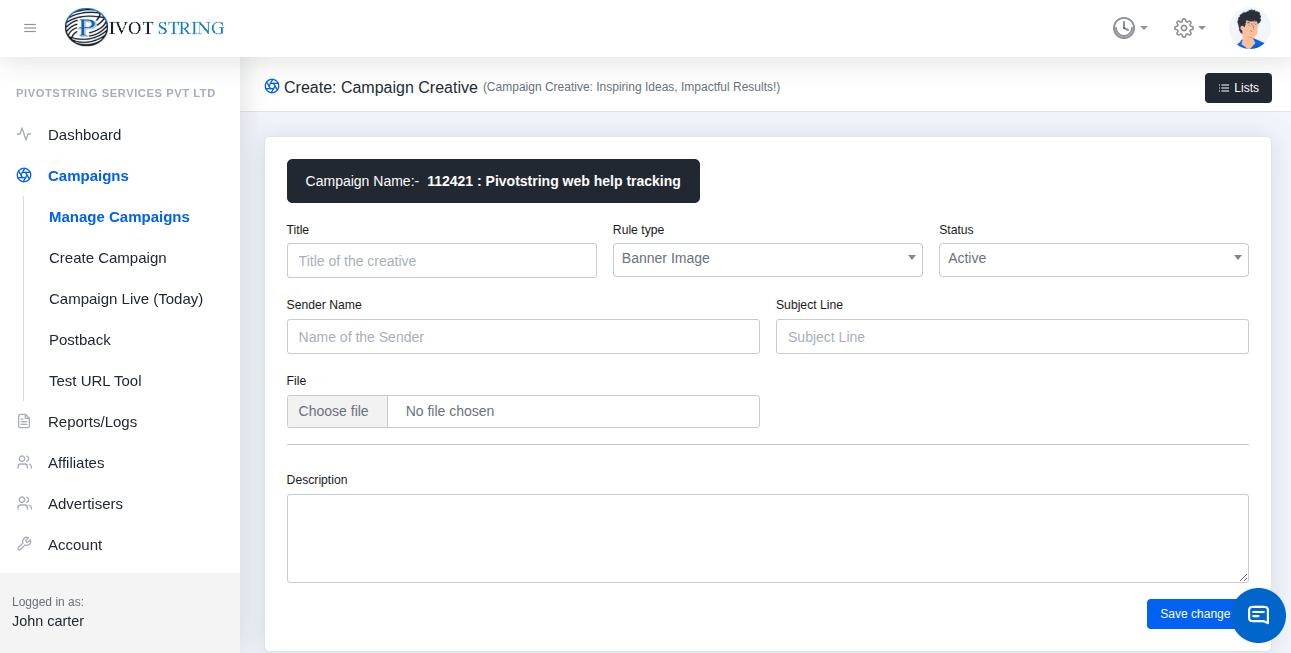
How to Upload Creatives
Go to Campaigns
Navigate to the Campaign section in your dashboard.
Select Campaign
Choose the campaign where you want to add creatives.
Upload Creatives
Open the Creative tab and upload your files.
Tip
You can upload multiple creatives and reuse them across campaigns.