Campaigns: Basic Info

# Overview

Campaigns form the backbone of any successful marketing strategy and are often referred to as "offers" in the advertising industry. They serve as the central hub where all crucial information is stored, managed, and distributed to publishers and advertisers.

With campaigns, you can generate tracking links, configure advanced targeting options, define revenue and payouts, and set custom goals and goal values. Additionally, campaigns allow you to upload creatives and other essential assets to ensure seamless execution and performance tracking.

In this knowledge base, you'll find a step-by-step guide to creating campaigns using the intuitive Campaign Wizard feature. Whether you're a beginner or an experienced marketer, this comprehensive resource will help you set up effective campaigns effortlessly and optimize their performance.

# Campaign: Basic Info

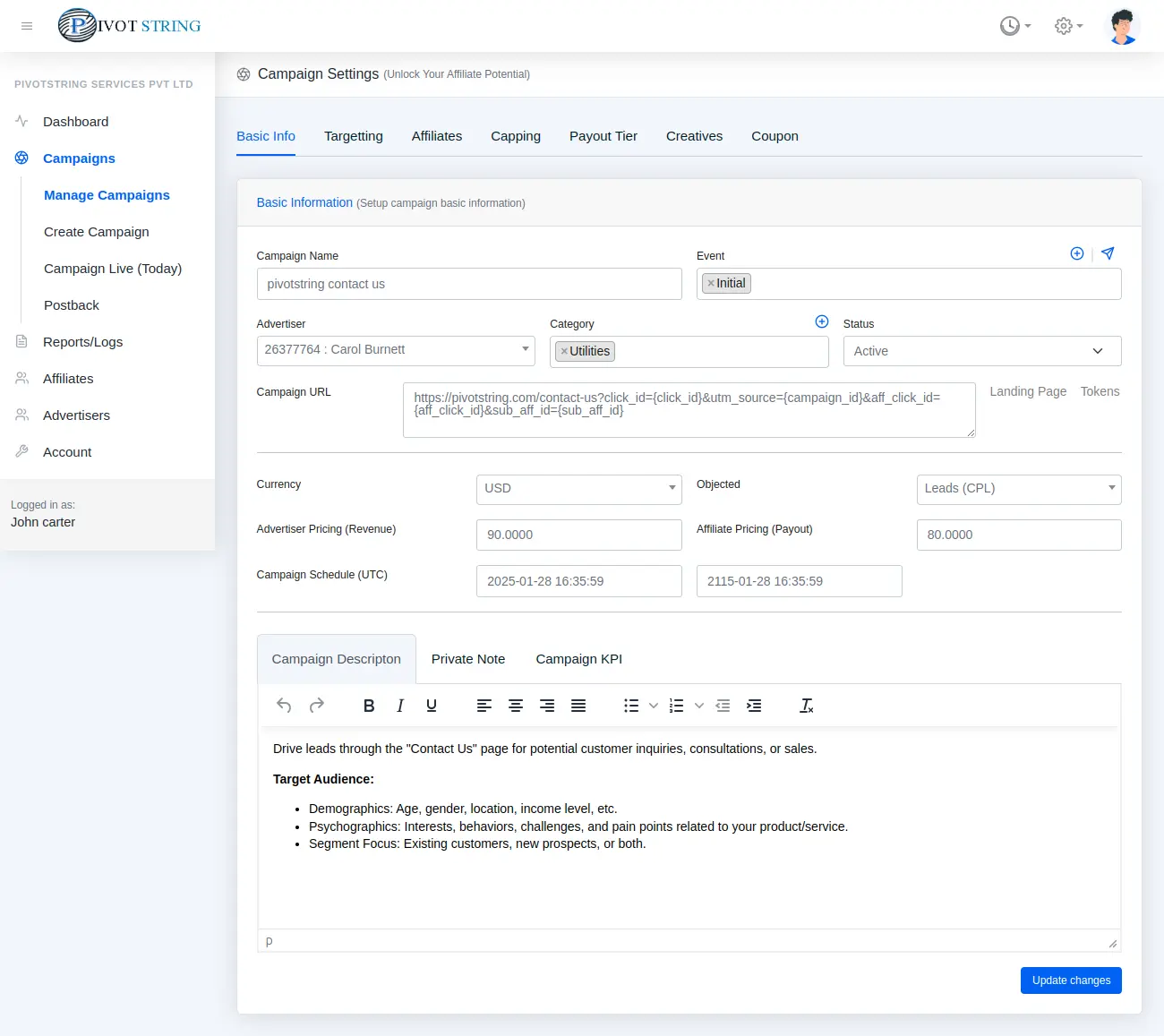
Pivotstring Campaign Basic Info
ParameterDescription
Campaign Name mandatoryThe relevant name for your campaign.
Advertiser mandatorySelect the advertiser from whom you got this offer.
Event mandatorySelect the Event to Apply Targeting Rules with AND/OR Conditions
Category mandatorySelect the Appropriate Category for Your Campaign
Status mandatoryManage Publisher Status for Your Campaigns. Choose whether the campaign is Active, Pending, or Ended.
Campaign URL mandatoryEnter the Tracking URL and Integrate Pivotstring Macros. For detailed information about using macros, click here to learn more.
Landing Page optionalPromote Multiple URLs for the Same Offer with Landing Pages
Currency mandatoryChoose the Currency for Your Campaign
Objective mandatoryChoose campaign objective: Conversions, CPR, CPE, Sale, App Installs, Leads, Impressions.
Revenue mandatoryRevenue represents the amount you will earn from the advertiser upon successfully achieving the specified goal.
Payout mandatoryPayout refers to the amount you pay to your publishers for each successful conversion.
Schedule mandatorySet the Start and End Dates for Your Campaign
Description optionalInclude In-Depth Details About Your Campaigns
Private Note optionalKeep important internal notes for reference.
KPI optionalEssential Targeting Details for Publishers

# Campaign: Adding Landing Page

Landing page
ParameterDescription
Name mandatoryThe relevant name for your landing page.
Landing Page URL mandatoryEnter the tracking URL provided by the advertiser.
Weight mandatoryThe weight determines how traffic is distributed across landing pages.

Ready to Boost Your Conversions?

Start leveraging Pivotstring's powerful tracking software today and take your business to the next level.

Get Started Now